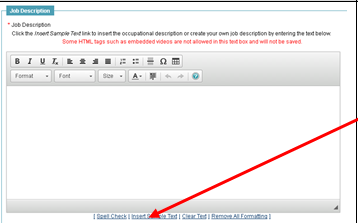
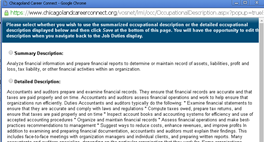
Step 4 - Job Order Wizard, Job Description Kurt Vannucci April 24, 2017 15:10 Updated Job Order Wizard – Step 4, Job Description Screenshots Notes Enter Job Description Three options: Type it in Copy the employers job posting Insert Sample Text (see notes below) Inserting Sample Text A new window will appear and you can choose the “Summary Description” or the “Detailed Description”. Either way, edit the text so it ACTUALLY applies to the job. Click <<Next>> Related articles Step 9 - Job Order Wizard, Application Method Step 5 - Job Order Wizard, Skills Comments 0 comments Please sign in to leave a comment.

Comments
0 comments
Please sign in to leave a comment.