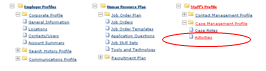
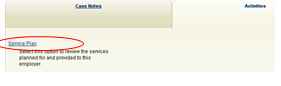
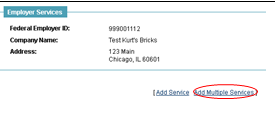
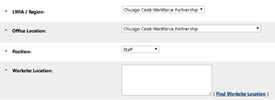
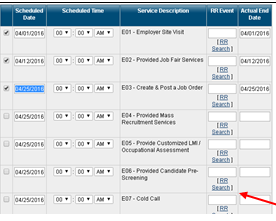
Adding Multiple Services Kurt Vannucci April 17, 2018 14:30 Updated Adding Multiple Different Services Screenshots Notes Navigate to an Employer Navigate to <<Activities>> via Employer → Staff’s Profile → Case Management Profile → Activities Select <<Service Plan>> Click <<Add Multiple Services>> Enter information as necessary The information you add to this section will be carried over to each additional service you select below. Fill in the information as desired You can add multiple different services by checking the boxes of the services you want to add. These services can be added for date in the past. If you would like to add multiples of the same service, you will need to repeat these steps or add a single service. Rapid Response (RR Event) is not functional in this phase. Navigate to bottom of page If so desired, you can case notes here. Save Related articles Adding a Service Business Services Reports Sector Center Services & Reports Objective Assessment Summary (OAS) Procedure (Updated 4/14/2025) 2nd ITA Request Form-updated 1-14-2026 Comments 0 comments Please sign in to leave a comment.

Comments
0 comments
Please sign in to leave a comment.