If you have specific jobs that you often need to post, a short cut to creating a new job from scratch is to create a template based on a previous job.
Create Job order Template
|
Screenshots
|
Notes
|
|
Navigate to the employer with job that ALREADY exists (via Assist Employers)
|
|
|
|
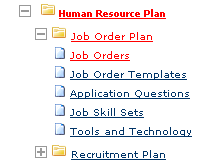
Go to Job Orders
|
 |
|
|
Find the job order to be copied
|
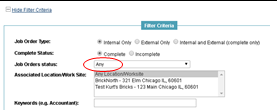 |
If you are searching for a job that has been closed already, you will need to change the filters for that employer to “Any”. The default setting is “Open and Available”.
|
|
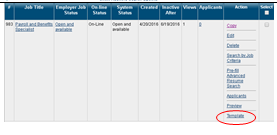
In the “Action” column, choose Template
|
|
|
|
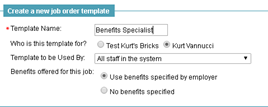
Set up the configuration you would like
|
|
Enter the Template name and decide how you want to use it (for company or in general for yourself).
Also determine who can view it and how you want benefits to carryover.
|
|
Save
|
|
|

Comments
0 comments
Please sign in to leave a comment.