Close Steps
|
Screenshots
|
Notes
|
|
Navigate to the job
|
|
|
|
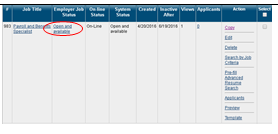
Click <<Open and Available>> on the specific Job
|
|
This will take you to an update screen.
|
|
Change Status
|
|
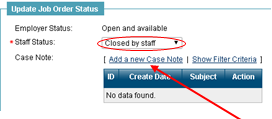
In the “Update Job Order Status” section, change status to “Closed by staff”.
|
|
Add a case note
|
|
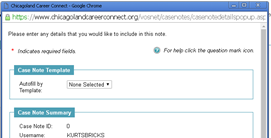
Click on <<Add a new Case Note>> to open the case note screen.
A new window will appear
Case notes can also be added for Employers. This can be a useful tool for others to learn about employers without having to call you.
|
|
Fill in the necessary information
|
|
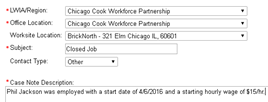
You can enter whatever description you would like, but make sure the Contact Type is “Other”.
|
|
You should also enter a Service Rendered
|
|
|
|
Save
|
|
|

Comments
0 comments
Please sign in to leave a comment.