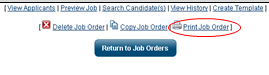
After clicking the <<Finish>> button, you are taken to a screen displaying all the information just entered. At the bottom of the screen, there is a <<Print Job Order>> link.
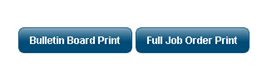
Select the format of the job order
This appears in a new window.
Bulletin Board = fewer details
Full Job Order = All details
If you see your employer name on the print outs and you meant to hide that, you erroneously complete Step 3.
Print or Create PDF
Both formats (e.g., Bulletin or Full Job) have these options available.

Comments
0 comments
Please sign in to leave a comment.